 Arthur O. January 23, 2026
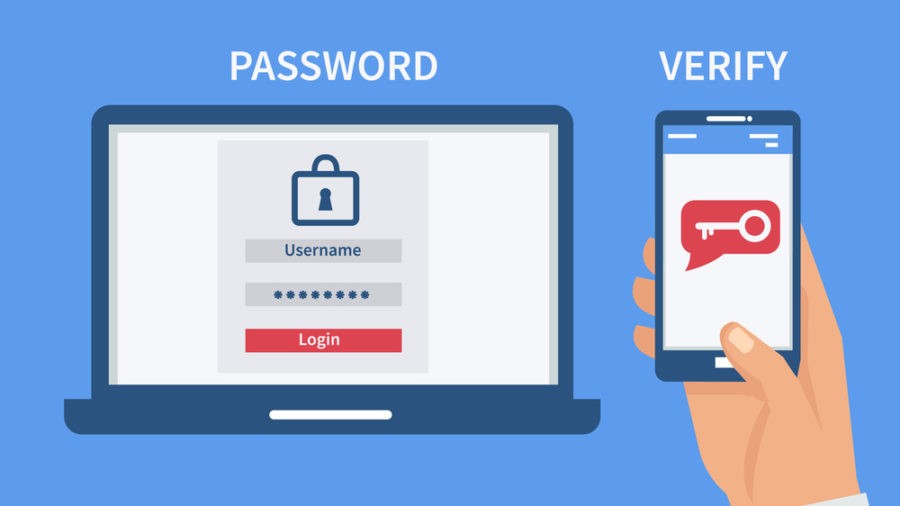
Multifactor authentication (MFA) is a login security method that requires two or more independent ways to prove identity instead of just a password. It greatly reduces the chance that someone can break into an account with stolen or guessed credentials.
What MFA means
- MFA (or 2FA when only two checks are used) requires a user to present at least two different “factors” before access is granted.
- It is used on websites, apps, VPNs, and corporate systems to protect personal and financial data from unauthorized access.
Types of authentication factors
MFA combines factors from different categories so that compromising one is not enough:
- Something you know: password, PIN, answers to security questions.
- Something you have: phone with an authenticator app, SMS-capable phone, hardware token, smart card, security key (e.g., FIDO2 key).
- Something you are: fingerprint, face scan, iris/retina scan, or other biometrics.
- Somewhere you are: location or device context in some advanced systems (e.g., trusted device, expected region, or IP).
How MFA typically works
- You enter your username and password as usual (first factor: something you know).
- If correct, the system prompts for a second factor, such as:
- A one-time code from an authenticator app or SMS.
- A push notification you approve on your phone.
- A fingerprint or face recognition on your device.
- A hardware security key you tap or insert.
- Only when all required factors are verified is access granted.
Why MFA is important
- Passwords are often weak, reused, or stolen in data breaches, which makes single-factor logins easy targets for attackers.
- Adding a second factor means an attacker usually needs both the stolen password and control of your phone, token, or biometric, which is much harder.
- Security agencies and major providers recommend enabling MFA on email, banking, social media, and any account that holds sensitive data.
Practical tips for using MFA
- Prefer app-based codes or hardware keys over SMS when possible, because SIM-swapping attacks can intercept text messages.
- Turn on MFA on:
- Primary email accounts (Gmail, Outlook, etc.).
- Financial services (banks, PayPal, brokerages).
- Work accounts (especially admin and remote access accounts).
- Password managers and cloud storage.
- Store backup codes in a secure place (like a password manager or printed in a safe) in case you lose your phone or token.
If you share what context you care about (e.g., home use, small business, or enterprise IT), a tailored set of MFA recommendations can be provided.
